 MeetInk
No bot · On-device transcription · macOS 15+
Your meetings, on your Mac.
Ask them anything.
MeetInk records your calls without a bot, transcribes them on your Mac and writes notes shaped for standups, client calls and sales. Then ask any meeting anything, in the app or from Claude Code, Claude Desktop and Cursor.
14-day full trial, then free for 5 meetings a month. No account, no credit card.
- No bot joins your call
- Transcribed on your Mac
- Pay once, no subscription
- No account
The real app with sample data: record a call from your calendar, watch the notes write themselves, then ask. Under a minute, no sound.
How it works
Three things, done well.
01 · Capture
It knows when a meeting starts.
Your calendar meeting starts, or Meet, Zoom, Teams or a Slack huddle picks up your microphone: a notification offers to take notes. Or press ⌘R. It records your mic and the meeting app, nothing else. No bot joins the call.
02 · Listen
It transcribes on your Mac.
Both sides are transcribed live on the Neural Engine and split by speaker. Names come from the calendar invite and the conversation. Type notes as you listen; each line is stamped with the moment.
03 · Write
It writes the notes you need.
Seconds after the call, notes write themselves in front of you: a standup gets blockers, a client call gets commitments, a sales call gets MEDDIC. Every line links back to the moment it was said.
Notes
Notes shaped by the meeting.
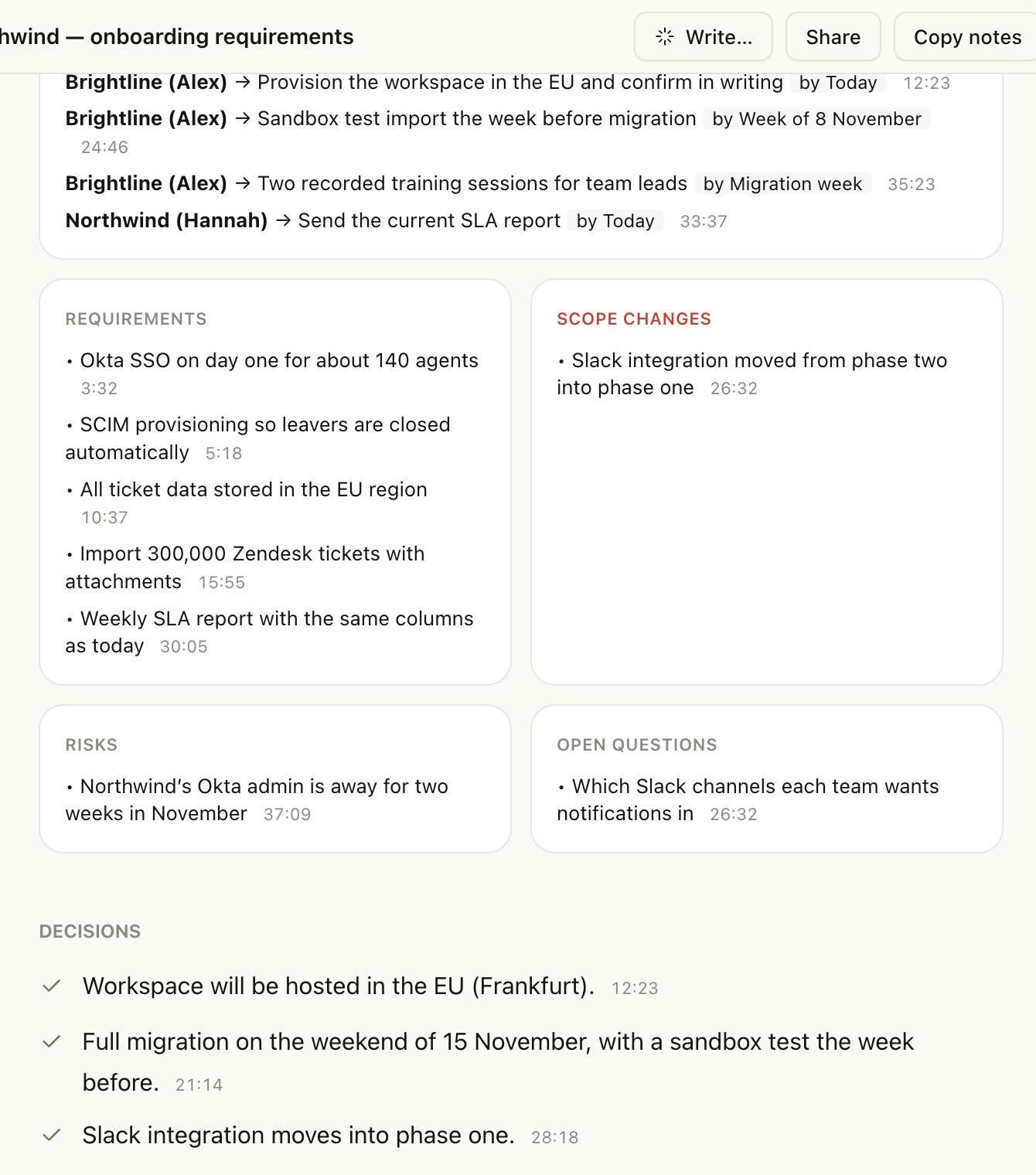
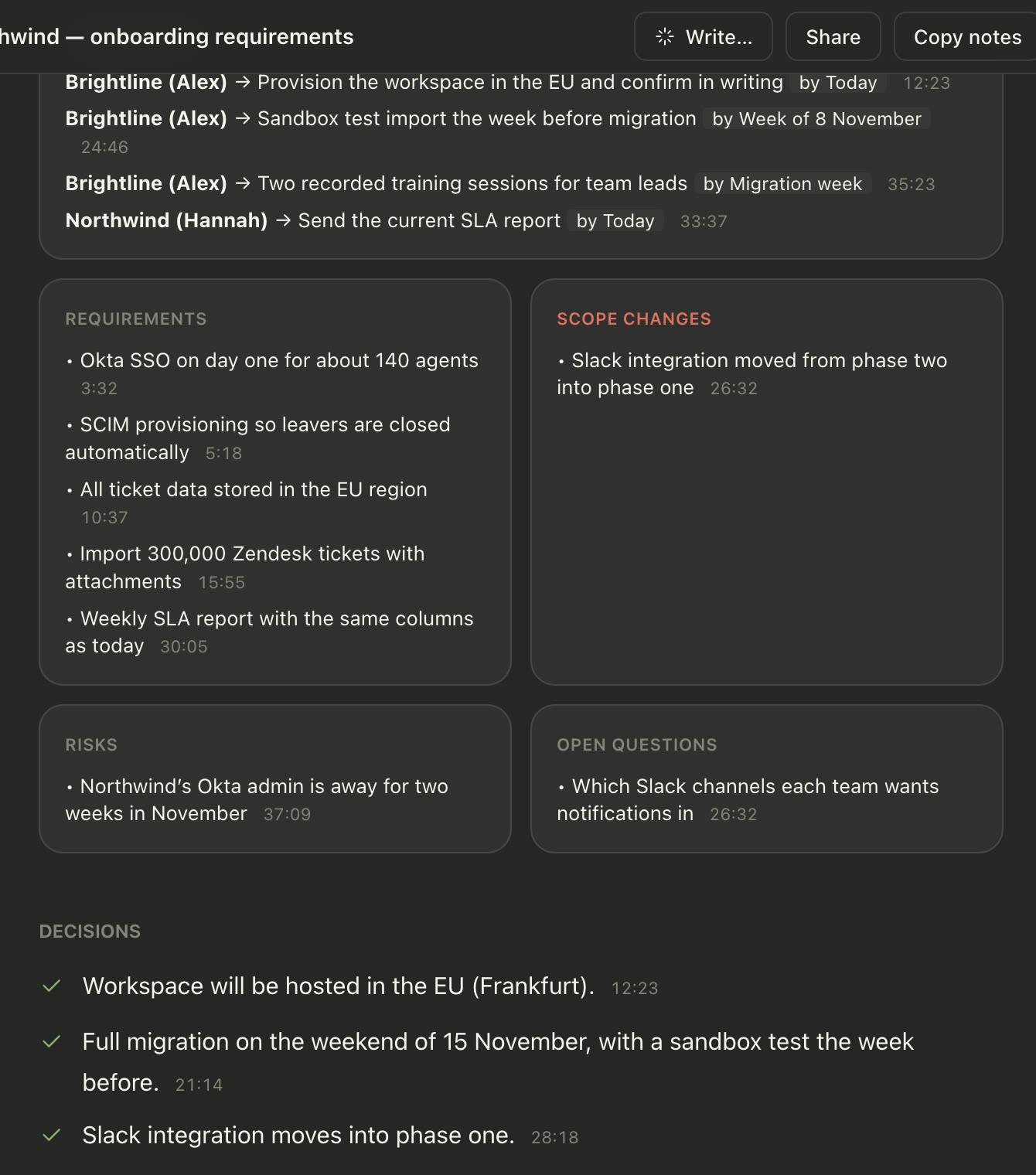
Sixteen meeting types, detected from the title, folder and conversation. A client call gets requirements and commitments, a standup gets blockers, a design review gets a decision record. Every line links to the moment it was said.
- Notes write themselves in front of you, seconds after the call
- Your own typed notes and bookmarks steer the summary
- Edit any line; export as Markdown, or share to Slack
Sales
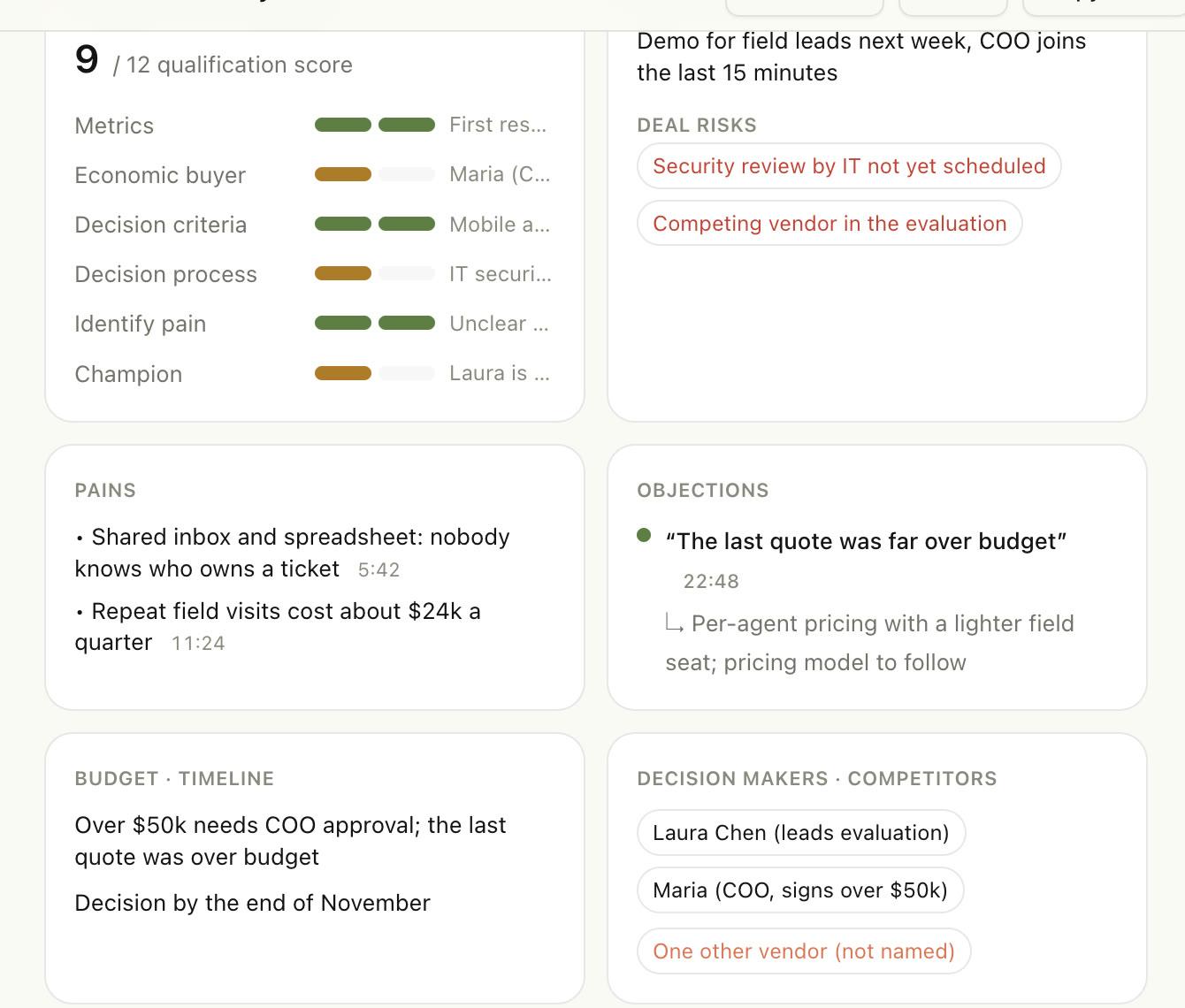
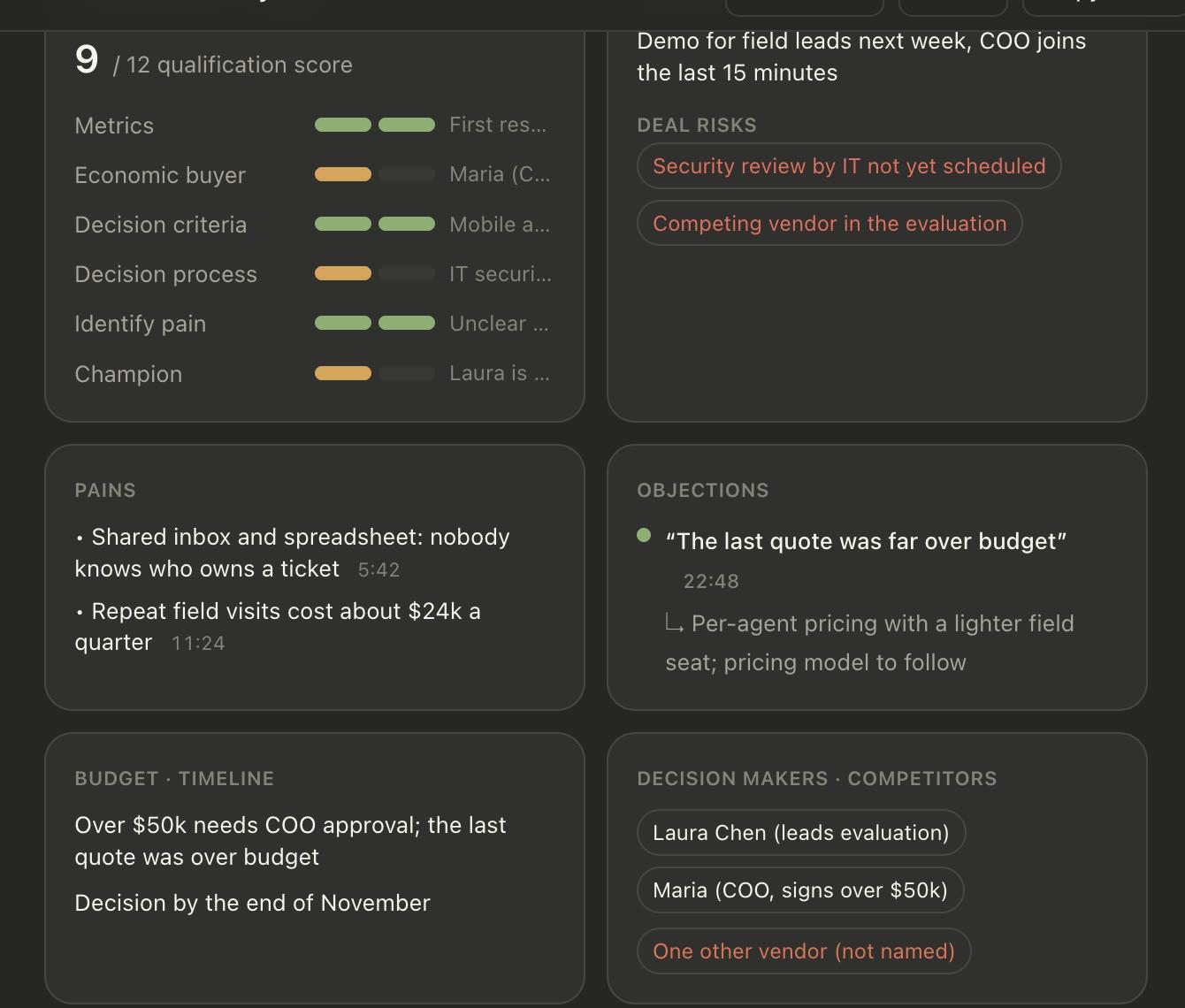
A scorecard filled from what the buyer said.
Discovery calls get a MEDDIC score with the evidence behind each line, every objection and how you handled it, the budget, the timeline and who signs. Nothing is scored without a quote to back it.
- Pains, budget, decision makers and next step
- Objections with timestamps, marked handled or not
- Deal risks called out: no budget, single contact, no next step
Tone
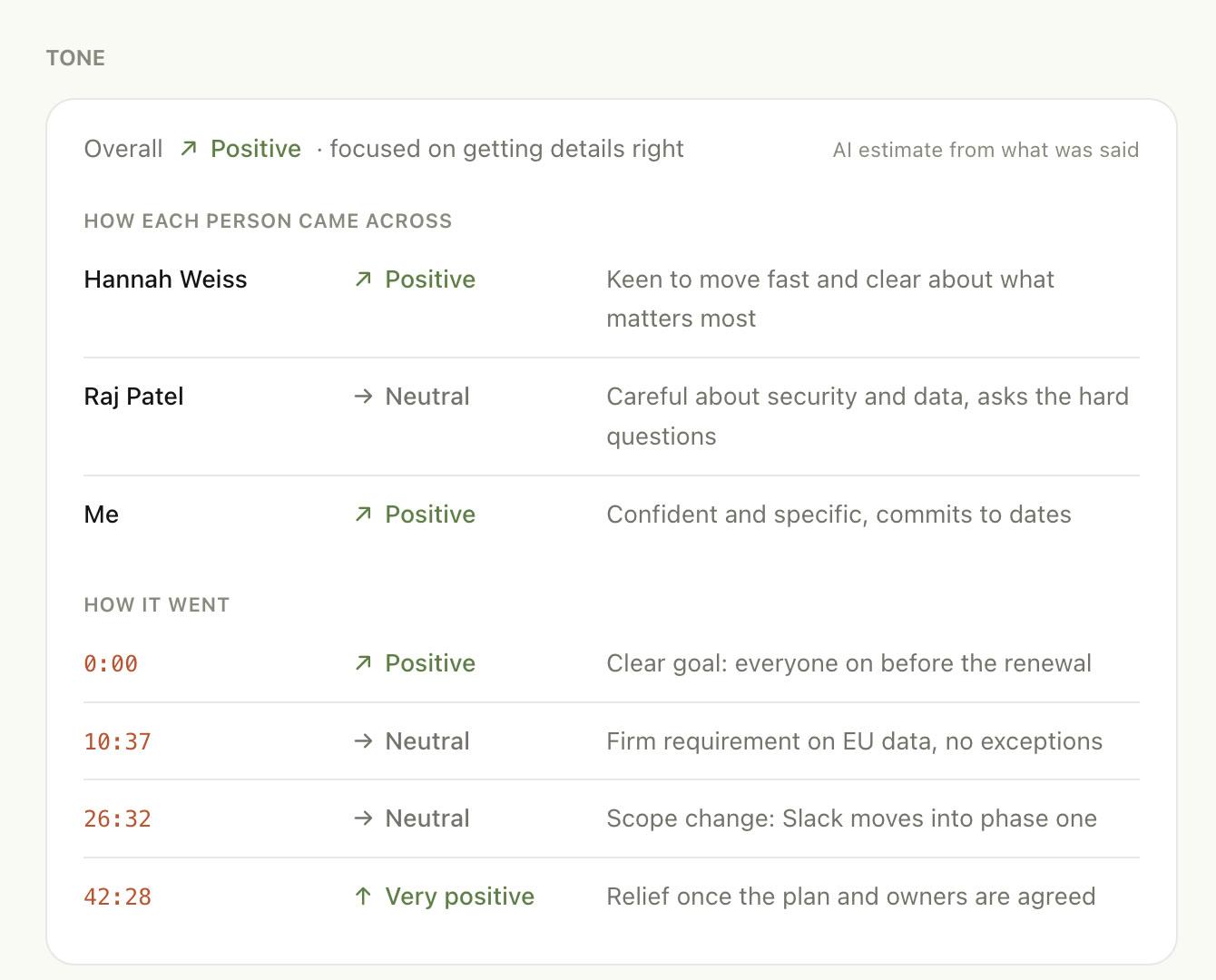
How it went, in plain words.
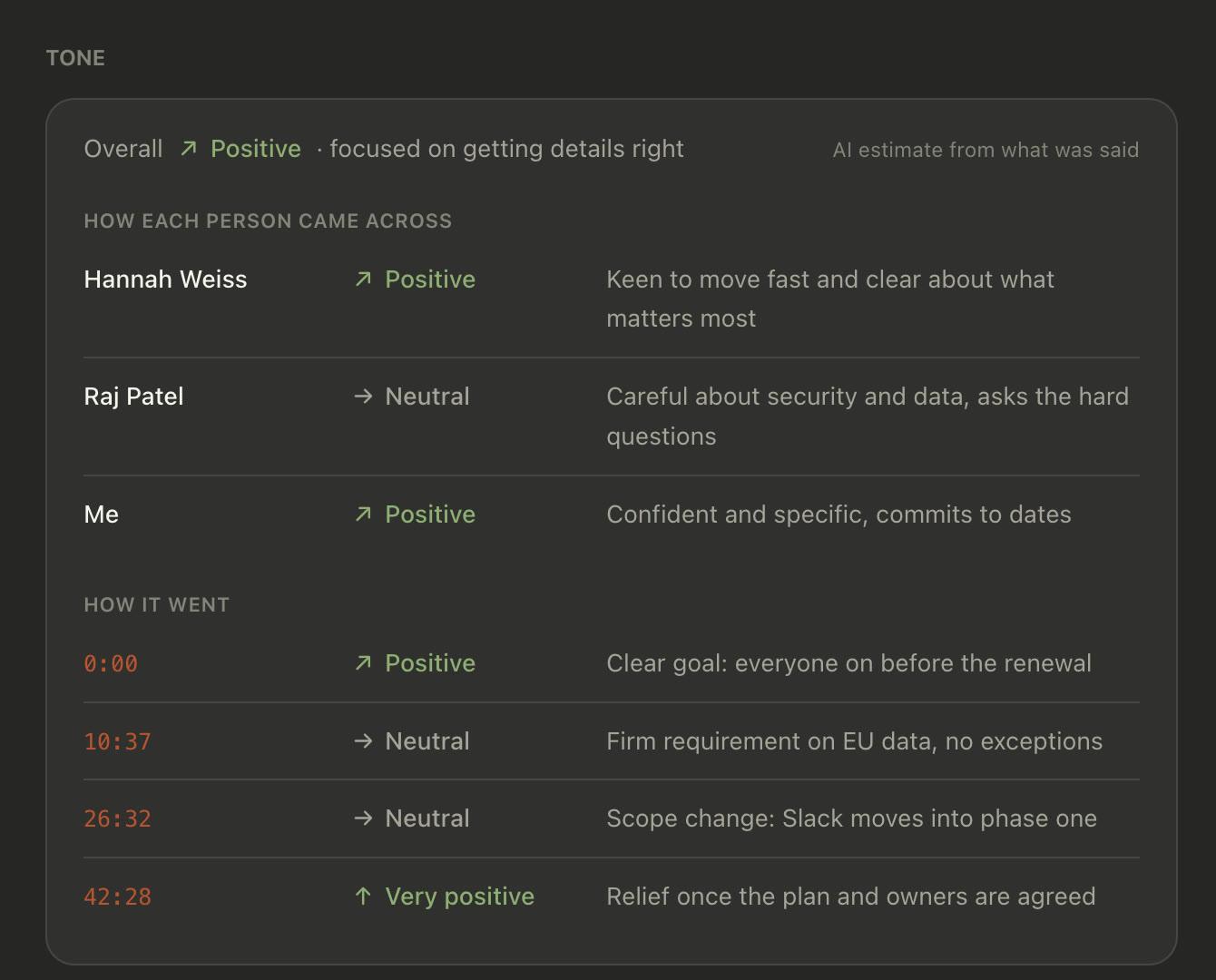
See how each person came across and why, and the moments the tone shifted. It’s an AI estimate from what was said, and it says so.
- Per person: “Careful about security, asks the hard questions”
- Moments that set the tone, one click to hear them
Ask AI
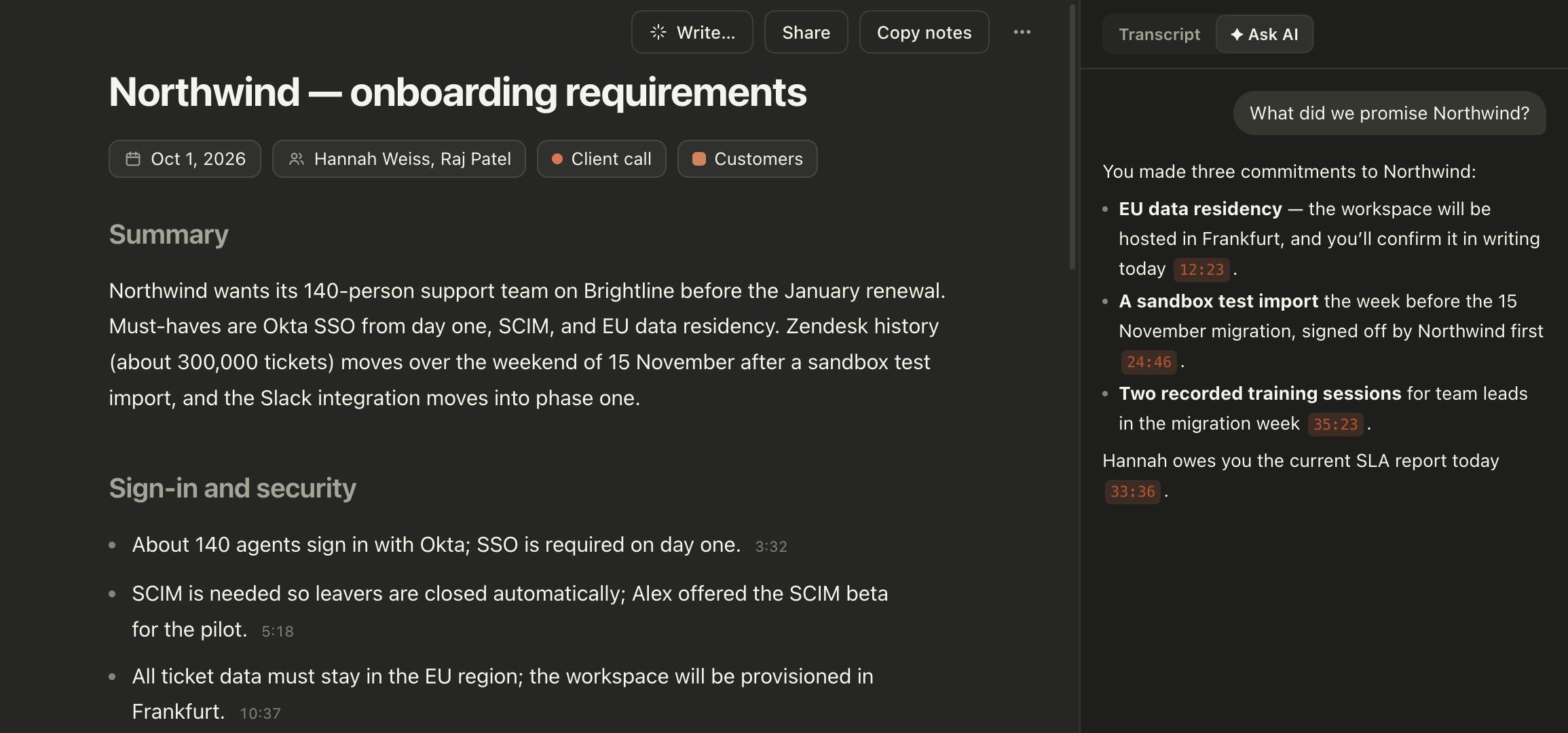
Ask any meeting. Or all of them.
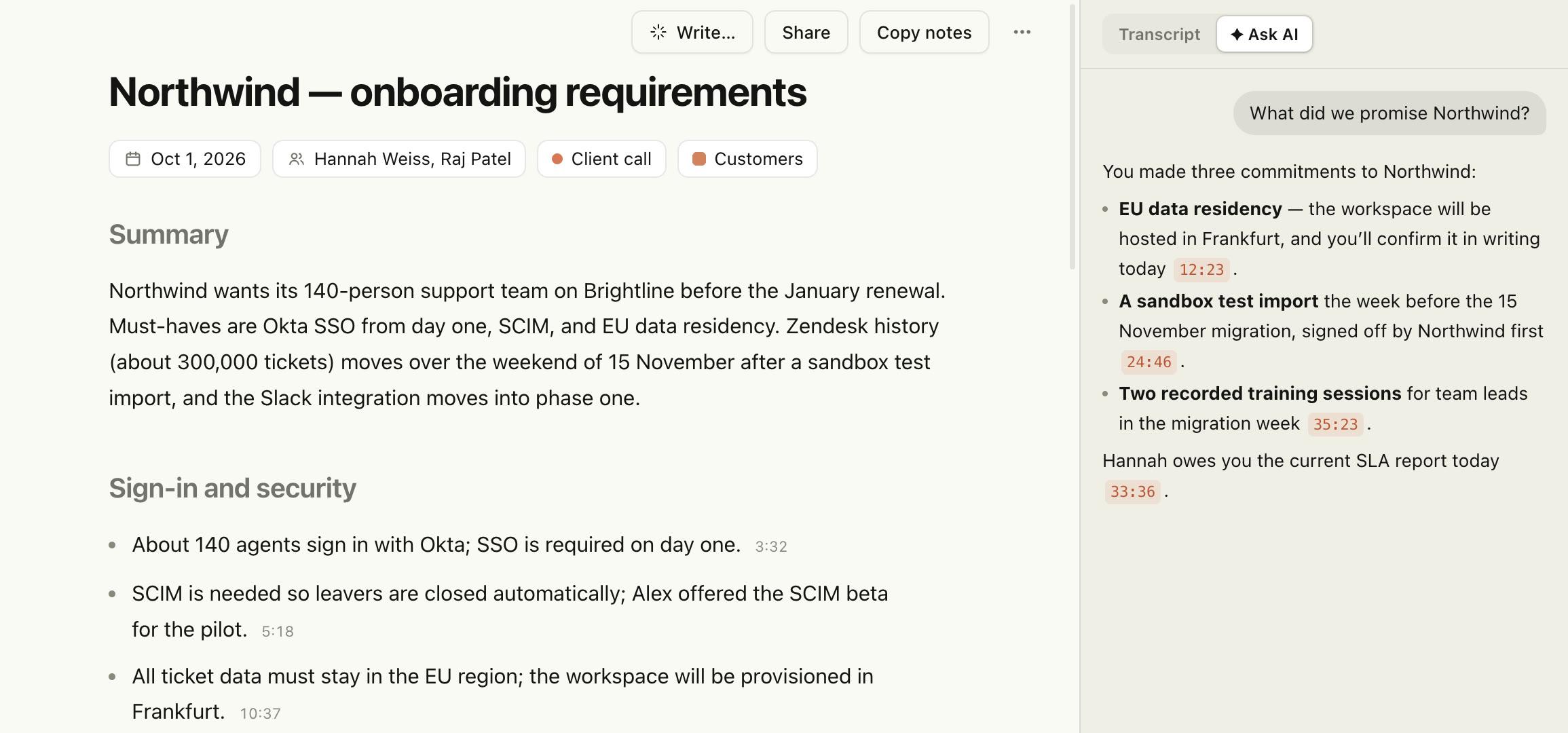
Answers come from what was actually said, with the meeting and the minute behind every claim. Add a good answer to your notes in one click.
This meeting
“What did we promise them?” Every claim cites the moment; click a time to hear it.
A folder
“What did Acme push back on this quarter?” Across every call with that client or team.
Everything
“What did we decide about SSO?” Searched by meaning, on your Mac, across all your meetings.
Claude Code · Claude Desktop · Cursor
Your meetings, as context for your AI.
Ask Claude Code to turn yesterday’s design review into an ADR, or Cursor what the client asked for before you build it. MeetInk adds a small connector that lets them search and read your notes, right on your Mac.
- One click in Settings → Integrations. No config files.
- Search by meaning across every meeting, plus action items and decisions.
- Runs on your Mac, read-only. The connector never changes or uploads anything.
What those apps send to their own AI is covered by their terms: an answer they read becomes part of that conversation.
How it works with Claude Code →Illustration of a Claude Code session using the MeetInk connector. Tool names are real.
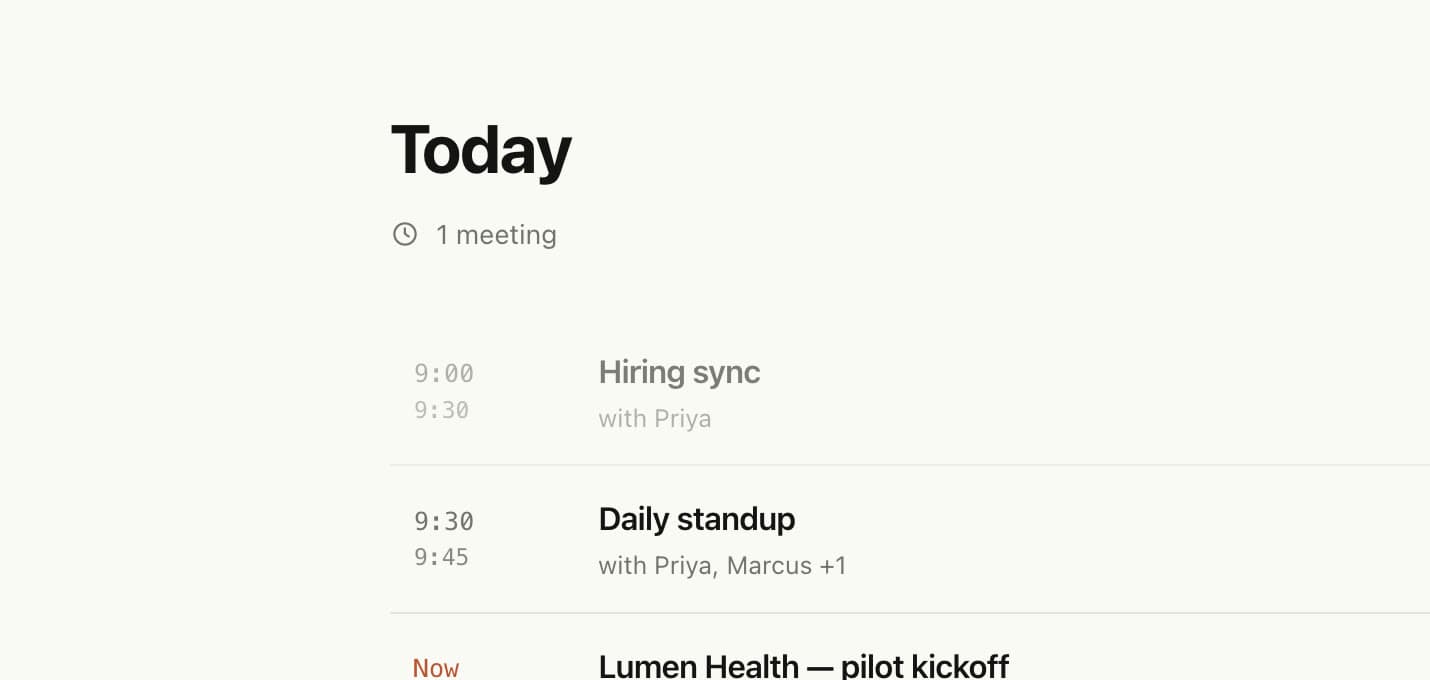
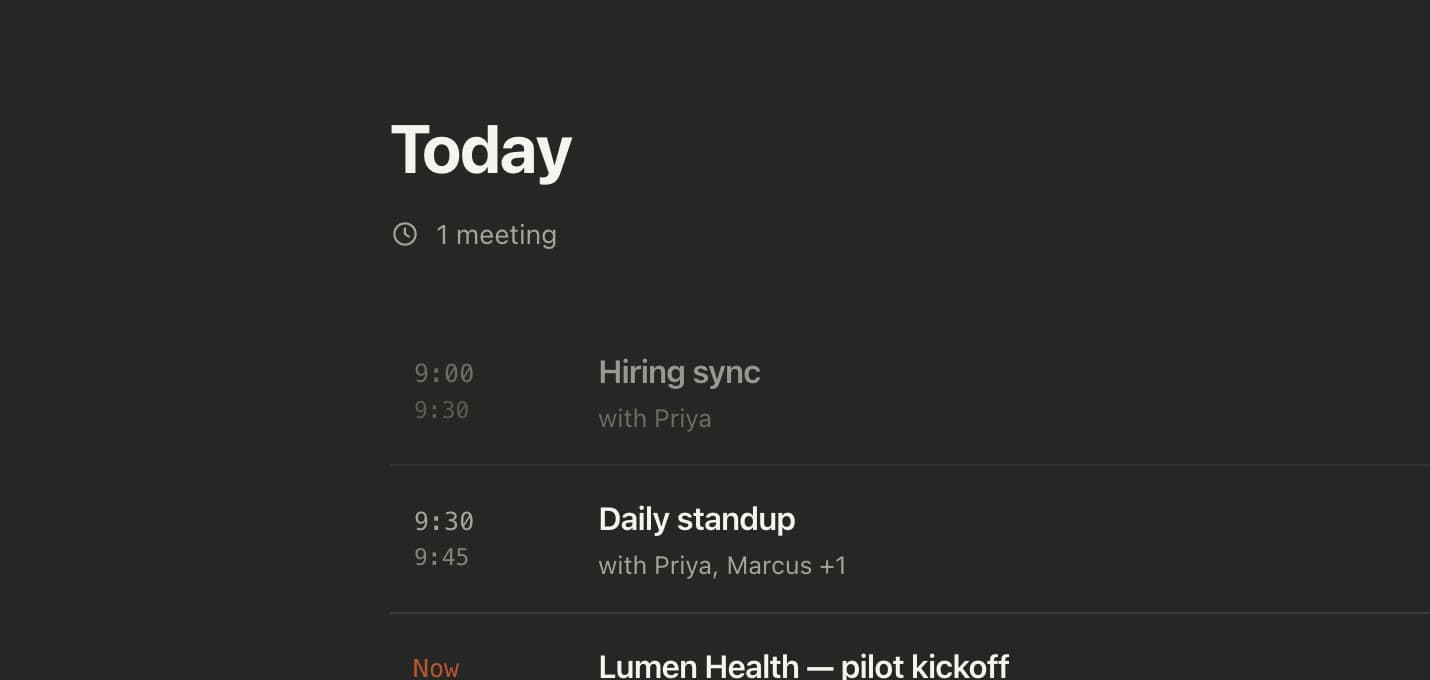
Calendar
Never forget to hit record.
Today shows your calendar meetings and whether each was recorded. When one starts, or Meet, Zoom or a Slack huddle picks up your mic, a notification asks: Take notes? Recordings are named after the event, with its invitees.
- Google Calendar and your macOS calendars (iCloud, Exchange and more)
- Record opens five minutes before the start
- Asks before stopping when the call ends; never stops on its own
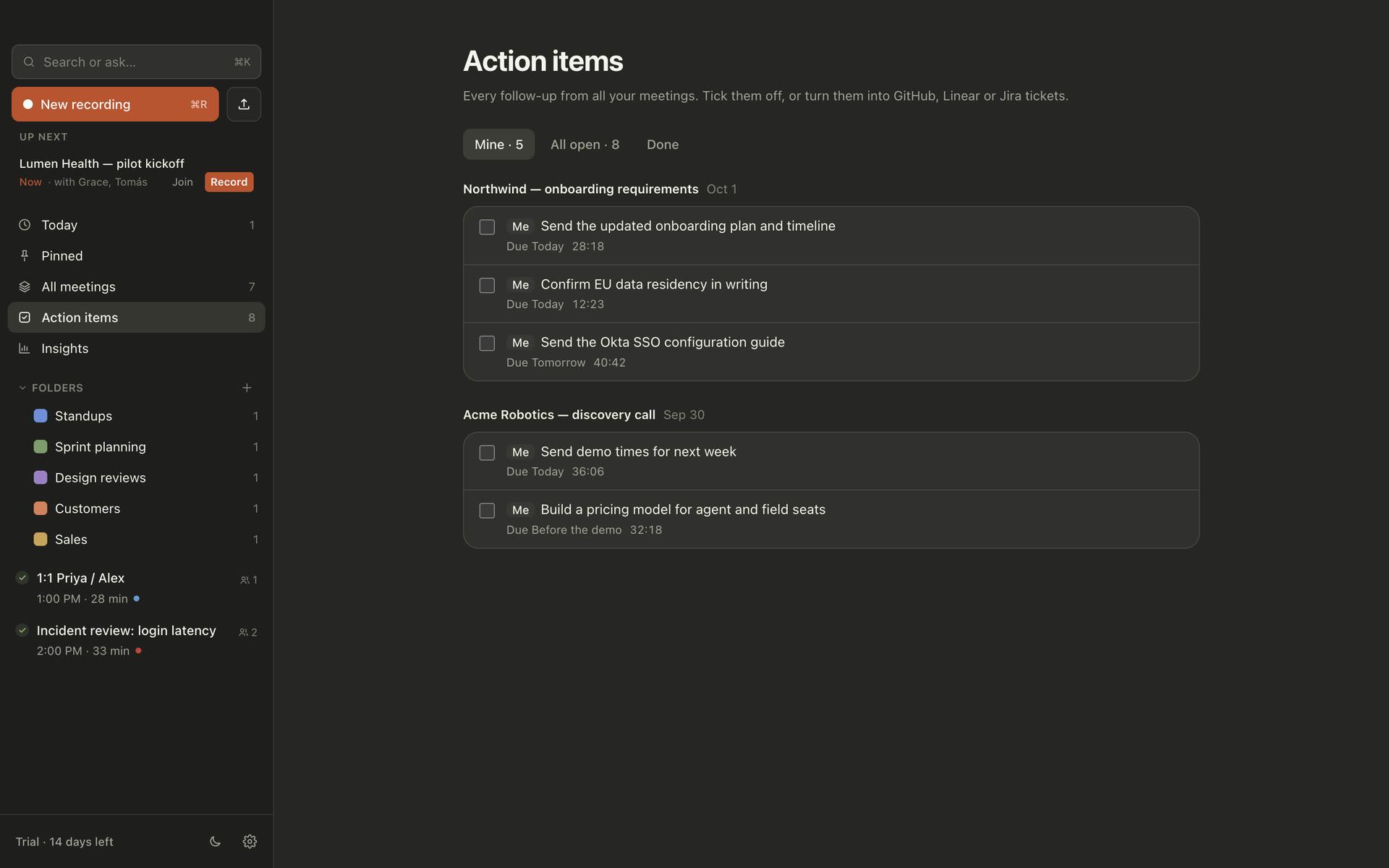
Action items
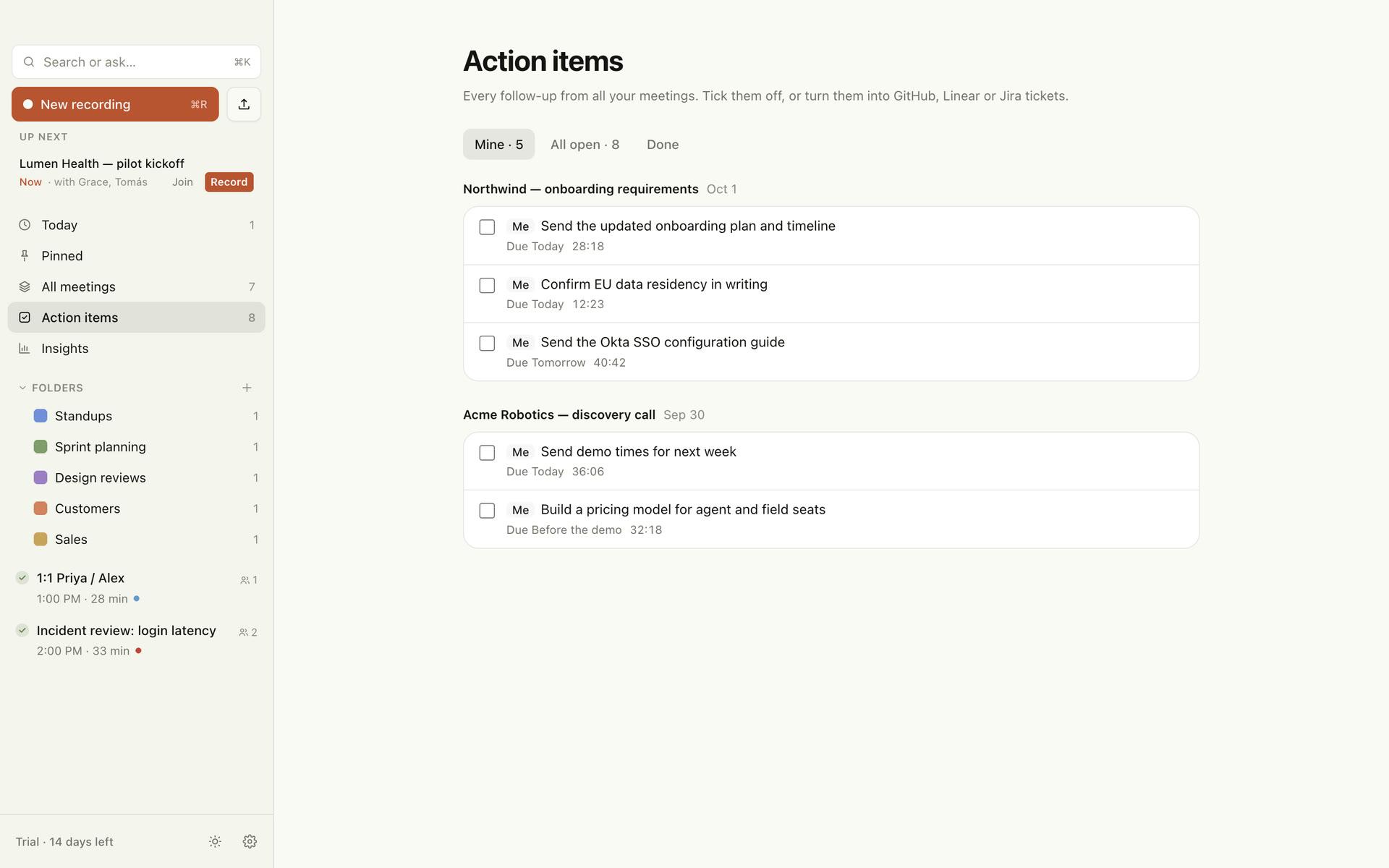
Every follow-up, in one list.
Owners and due dates come straight from the call, with a link back to the moment. Tick them off, or open one as a Linear issue.
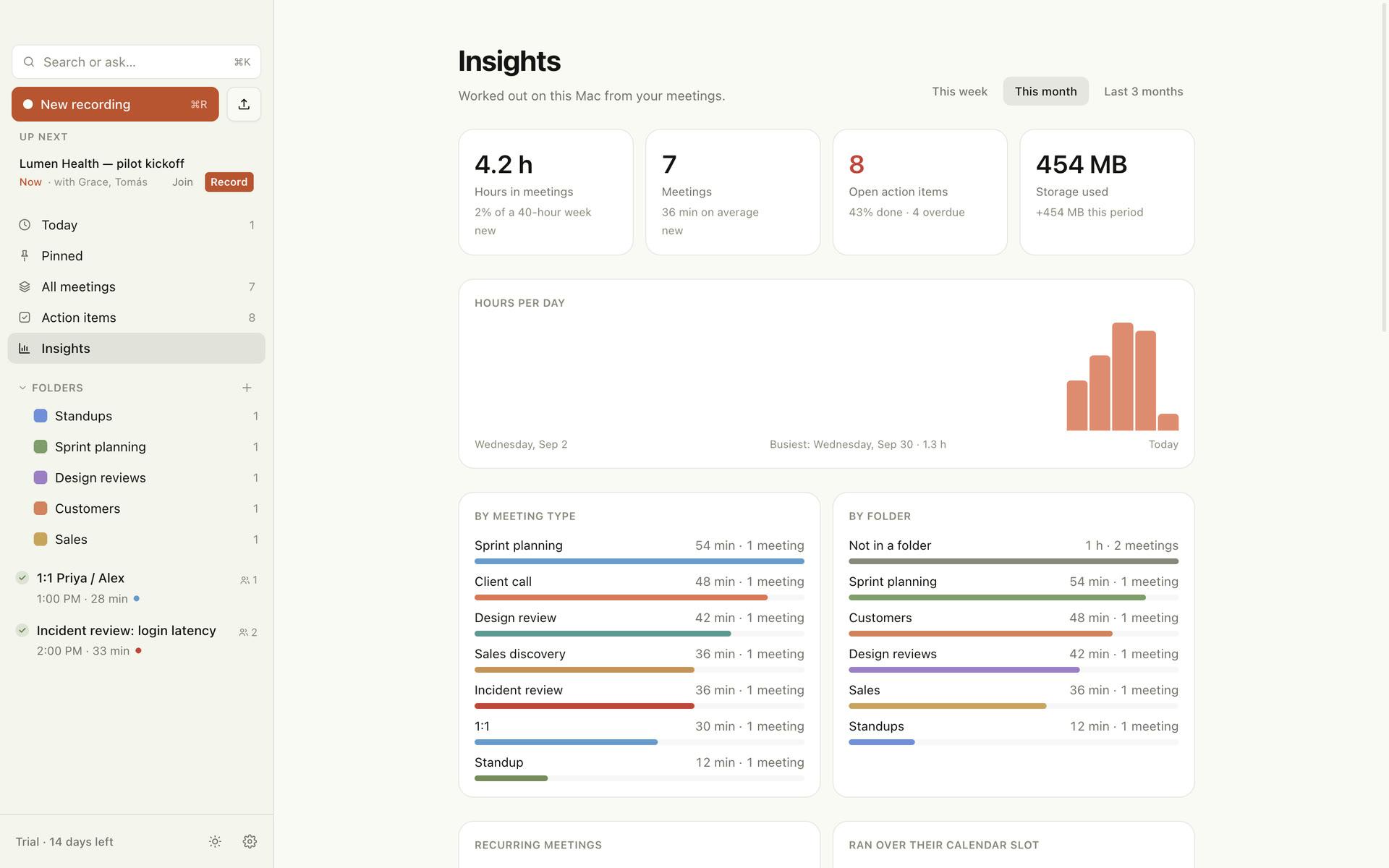
Insights
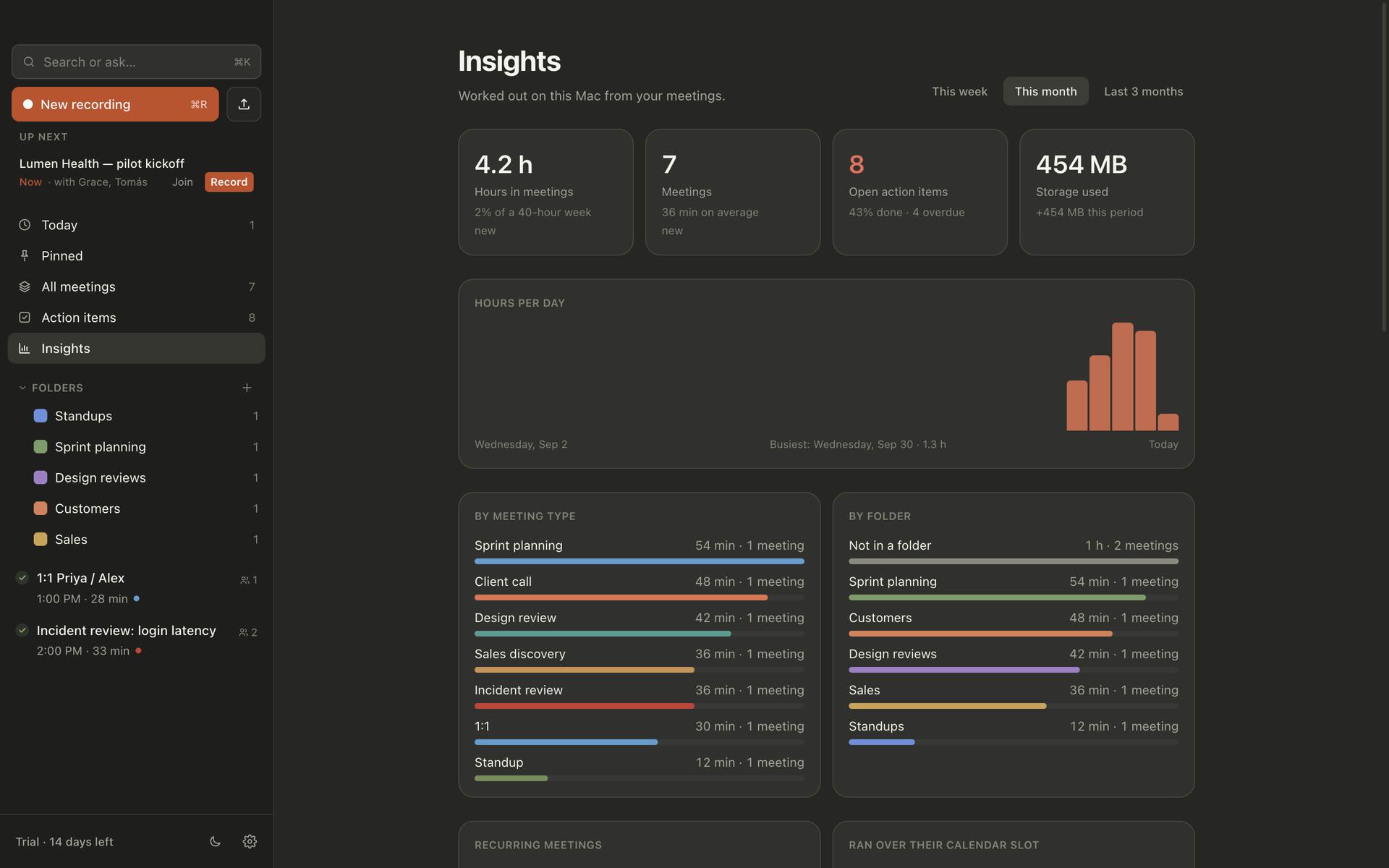
Where your week went.
Hours in meetings, which kinds and with whom, what’s still open, meetings that ran over, and what your AI usage costs. Worked out on your Mac.
- Calendar coverage: which booked meetings went unrecorded
- Your talk share and questions per meeting
- AI usage per engine, against your monthly budget
Built for your work
Not just a transcript. Notes you can act on.
Whether you ship code, close deals or deliver for clients.
For developers
Standups, sprint planning, design reviews and incident postmortems.
- Standups by person: done, doing, blockers
- Design reviews written up as decision records (ADRs)
- Sprint planning as tickets with estimates and owners
- Ask Claude Code what was decided, from your terminal or editor
For sales
Discovery calls, demos and follow-ups that actually close.
- MEDDIC scorecard filled from what the buyer actually said
- Pains, objections and deal risks, with timestamps
- Talk share and questions asked, per call
- Follow-up email drafted from the call
For client work
IT services and agencies: requirements, scope and commitments.
- Requirements and scope changes captured as they happen
- Commitments from both sides: who, what, by when
- Ask across every call with a client, in one place
- A client-ready recap you can send the same day
Integrations
Your notes, where your work happens.
Nothing is sent anywhere until you set it up. Each integration says exactly what it sends.
Private by design
Your conversations stay yours.
Client calls, pricing talks and one-on-ones are exactly the conversations that shouldn’t sit on someone else’s server. So they don’t.
On your Mac
Recording, transcription, speakers, search and Ask’s index. Notes too, if you use a local model.
Gemini, Claude or OpenAI (your choice)
Nothing goes through us. There is no MeetInk server holding your meetings.
Transcribed on your Mac
Speech recognition and speaker separation run on the Neural Engine. Audio is never uploaded.
No bot joins your call
It records the meeting app’s audio directly, so nobody sees a “notetaker has joined” message. Tell people you’re taking notes.
Only the meeting
It records meeting apps and browsers, not your music or that video in another tab. Echo cancellation keeps your speakers out of your mic.
Your choice of AI
Write notes with Google Gemini’s free tier, a fully offline local model through Ollama, or your own Claude or OpenAI key.
No account needed
No sign-up. The app sends only anonymous usage counts, which you can turn off. This website uses no analytics or ad trackers.
Why us
The private alternative to cloud notetakers.
| Cloud notetakers | MeetInk | |
|---|---|---|
| Audio stays on your Mac | ✗ | ✓ |
| Transcription on your device | ✗ | ✓ |
| No bot joins your call | ✗ | ✓ |
| No account needed | ✗ | ✓ |
| One-time price, no subscription | ✗ | ✓ |
| Local AI or your own AI key (free Gemini tier works) | ✗ | ✓ |
| Ask from Claude Code, Claude Desktop or Cursor | Some | ✓ |
| Notes shaped for standups, sales and client calls | Partly | ✓ |
“Cloud notetakers” means the default setup of tools such as Otter.ai and Fireflies.ai at the time of writing; features vary by plan. Details in our comparisons.
Pricing
Pay once. Keep it forever.
Try everything free for 14 days. No subscription, no account.
Free
$0
Forever, after the trial
- All features for 14 days
- Then 5 meetings a month, free forever
- Unlimited reading, search and export
- Everything stays on your Mac
License
$29 one time
Pay once, own it forever
- Unlimited meetings
- 12 months of updates included
- Your version keeps working forever
- Use it on your own Macs
- All integrations and AI apps
FAQ
Questions, answered.
Does my audio or transcript get uploaded anywhere?+
Audio, never. Recording, transcription and speaker separation run on your Mac. To write notes, the transcript text goes straight from your Mac to the AI you picked (Google Gemini, Claude or OpenAI, with your own key), or stays on your Mac with a local model through Ollama. Nothing passes through us.
Do I need an AI key? What does it cost?+
The easiest start is a free Google Gemini key: no credit card, enough for a handful of meetings a day. Note that on Gemini’s free tier Google may use what you send to improve its models; the paid tier doesn’t. Prefer fully offline? Use a local model through Ollama. With Claude or OpenAI, an hour-long meeting usually costs a few cents on your key, and the app shows an estimate and a monthly budget.
How does it work with Claude Code?+
In Settings → Integrations → AI apps, click Connect next to Claude Code, Claude Desktop or Cursor. MeetInk registers a small read-only connector on your Mac. Then ask, for example, “what did we decide about the billing design?” and it searches your meetings by meaning.
Do other people on the call see a bot?+
No. MeetInk records your microphone and the meeting app’s audio, so nothing joins the meeting. That also means you should tell people you’re taking notes. See our recording consent guide.
Can I use it without any AI?+
Yes. Recording, transcripts, search and talk stats work with no notes engine at all. Add one any time in Settings.
Which Macs are supported?+
macOS 15 or later. Apple silicon (M1 or newer) is recommended for fast on-device transcription.
What happens after the trial?+
You keep MeetInk free with 5 new meetings a month, forever. Everything you already recorded stays readable, searchable and exportable. A license removes the limit.
What does “12 months of updates” mean?+
Your license works forever. Any version released within 12 months of your purchase is included. After that you can keep using your version, or buy again to get newer releases.
Is there a subscription?+
No. You pay once.
Which languages are supported?+
English today.
Can I get a refund?+
Yes. See the refund policy. Try the free trial first so you know it fits your calls.
I lost my license key.+
Write to hello@dataotto.com from the email you bought with and we’ll send it again.
Your next meeting, handled.
No account, no credit card. 14 days of everything, then free for 5 meetings a month.
macOS 15 or later · Apple silicon recommended