 MeetInk
Claude Code · Claude Desktop · Cursor
Your meetings, as context for your AI.
The decisions, requirements and promises from your calls, available to Claude Code while you build. MeetInk adds a small connector that lets your AI apps search and read your notes, on your Mac, read-only.
Illustration of a Claude Code session. Tool names and results are what the connector returns.
Setup
One click. No config files.
01
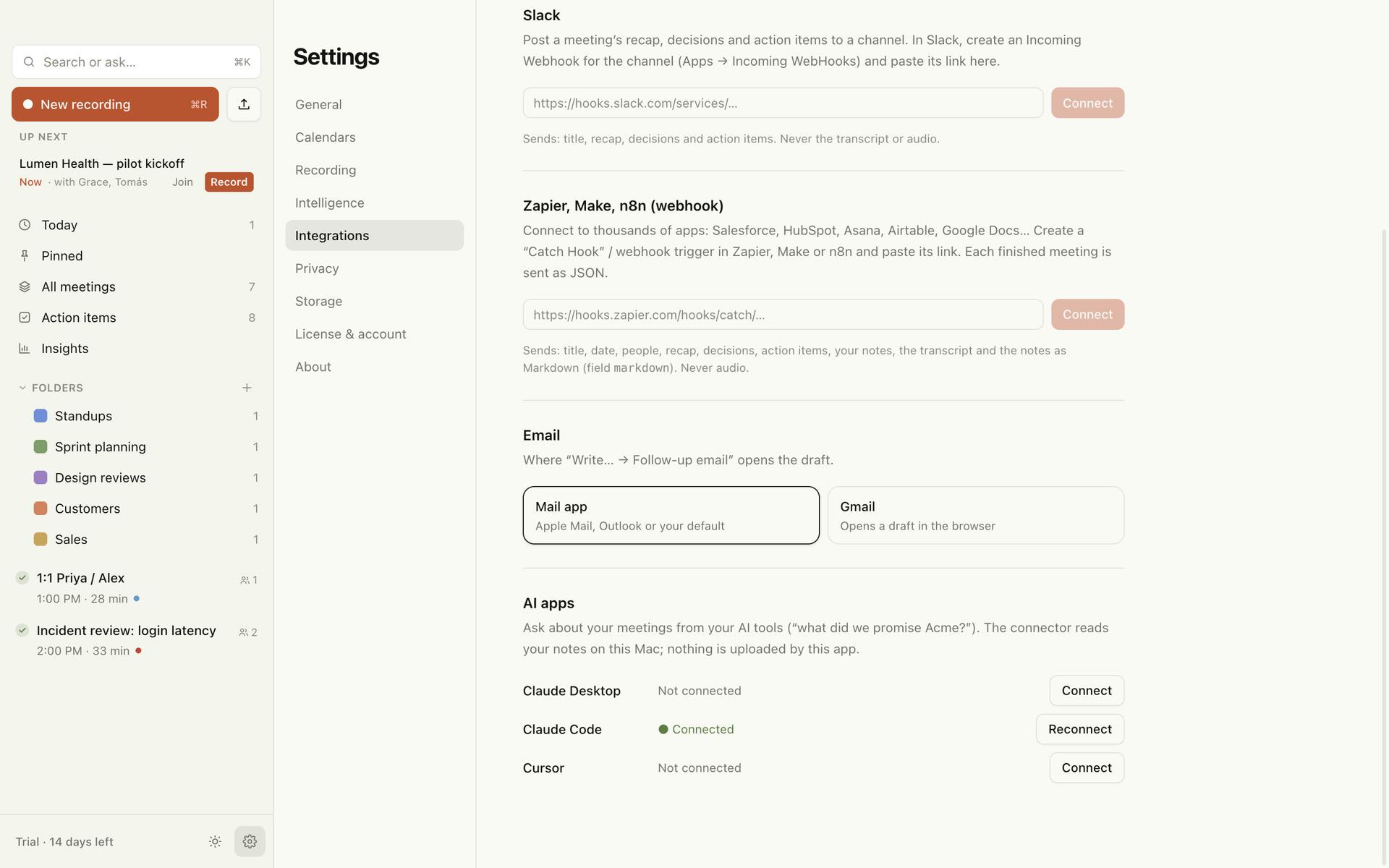
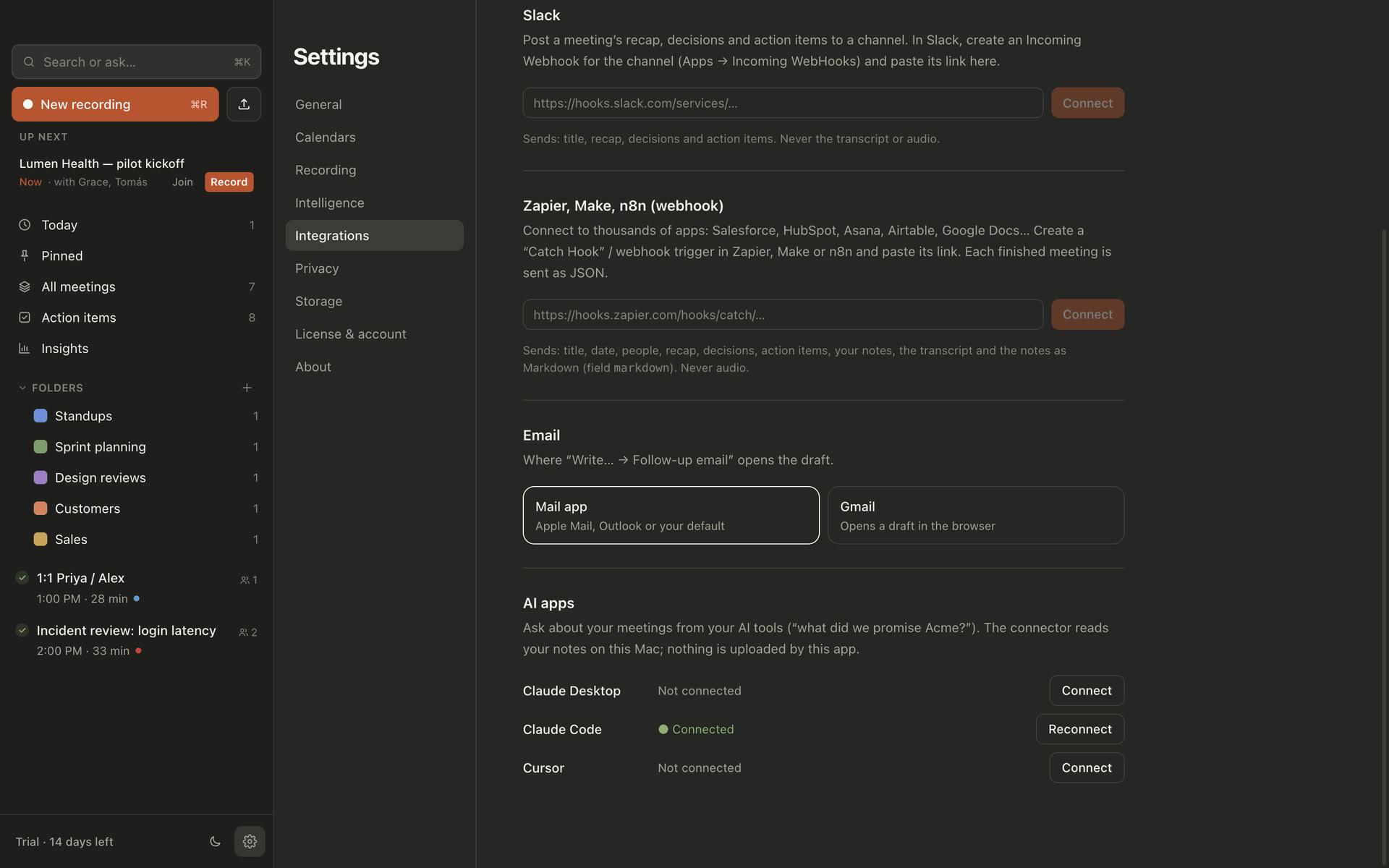
Open Settings → Integrations
In MeetInk, find “AI apps”: Claude Desktop, Claude Code and Cursor are listed with their status.
02
Click Connect
For Claude Code it registers the connector with Claude Code’s own command, for all your projects. Claude Desktop and Cursor get an entry in their config file (with a backup).
03
Start a new session and ask
Claude now sees the meeting tools. Ask in plain words; it decides when to search your meetings.
Try it
What people ask.
Turn a design review into an ADR
>“Read yesterday’s billing design review and write docs/adr/0012-usage-metering.md.”
Build what the client asked for
>“What did Northwind ask for in the requirements call? Check our SSO code covers it.”
Catch up before a call
>“Summarise everything we’ve discussed with Acme, and what’s still open on our side.”
Write the status update
>“List the decisions from this week’s meetings and draft a short update for #eng.”
What Claude can use
Six read-only tools.
Your AI app decides when to call them. None of them can change or delete anything.
| search_meetings | Find meetings about something, by meaning and by words. Returns each meeting with its best matching passage. |
| search_transcripts | The passages most relevant to a question across all meetings: what was said (with speakers), summaries and your notes, with times to cite. |
| get_meeting | One meeting in full, as Markdown: summary, sections, decisions, action items, your notes and the transcript. |
| list_recent_meetings | Meetings from the last N days, newest first. |
| list_action_items | Action items across meetings, open or done, by owner (“Me” is you). |
| list_decisions | Decisions made in the last N days, with the meeting and the moment. |
Under the hood
- A local MCP server, started by your AI app when a session begins
- Talks to the app over standard input and output: no port, no network
- Opens your notes database read-only
- Searches by meaning with the embedding model bundled with MeetInk, plus keywords
- Runs on MeetInk’s own runtime: no Node.js or Python to install
Good to know
The connector itself sends nothing anywhere. But what your AI app reads through it becomes part of that conversation, and goes to that app’s AI provider under its terms, like anything else you paste in. Ask about what you’re comfortable sharing with it.
Give your AI the context it’s missing.
No account, no credit card. 14 days of everything, then free for 5 meetings a month.
macOS 15 or later · Apple silicon recommended